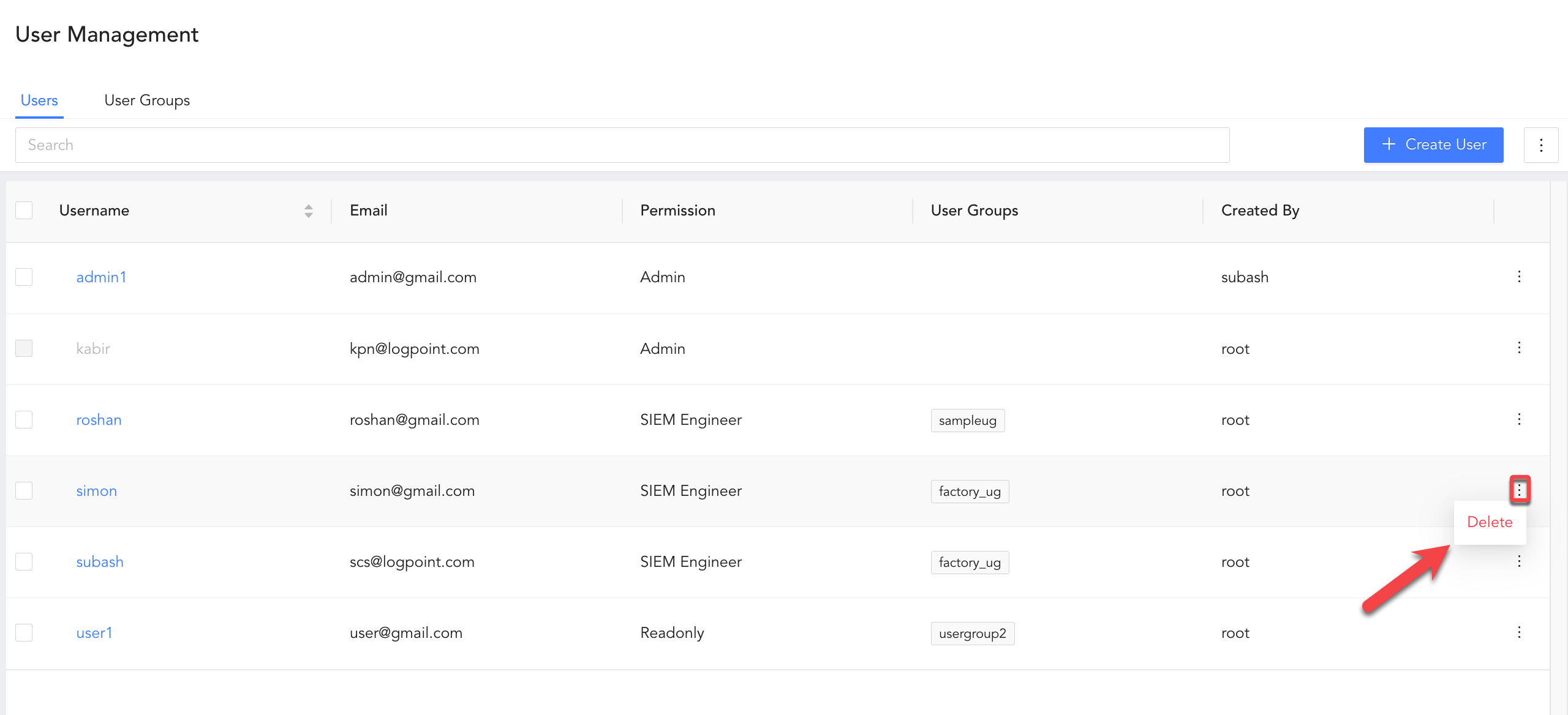
There are four types of users in Director Console, root, admin, SIEM engineer and readonly.
Important
In Director Console, there is a root user by default.
The root user can create admin, SIEM Engineer and Readonly users.
The root user needs to create at least one admin user who will manage advanced Director Console functionalities like configuring entites and monitoring entities.
The admin user can create other admin users, SIEM Engineer and Readonly users.
To create a user:
Click USER MANAGEMENT from the navigation menu.
Under Users, click Create User.
Enter a Username.
Enter an Email Address.
Under Role, select the role Admin, Read-only and SIEM Engineer for the user.
Select at least one User Group. You can select multiple user groups.
Enter a Password and confirm it. The password must be at least eight characters long.
Click Create User.
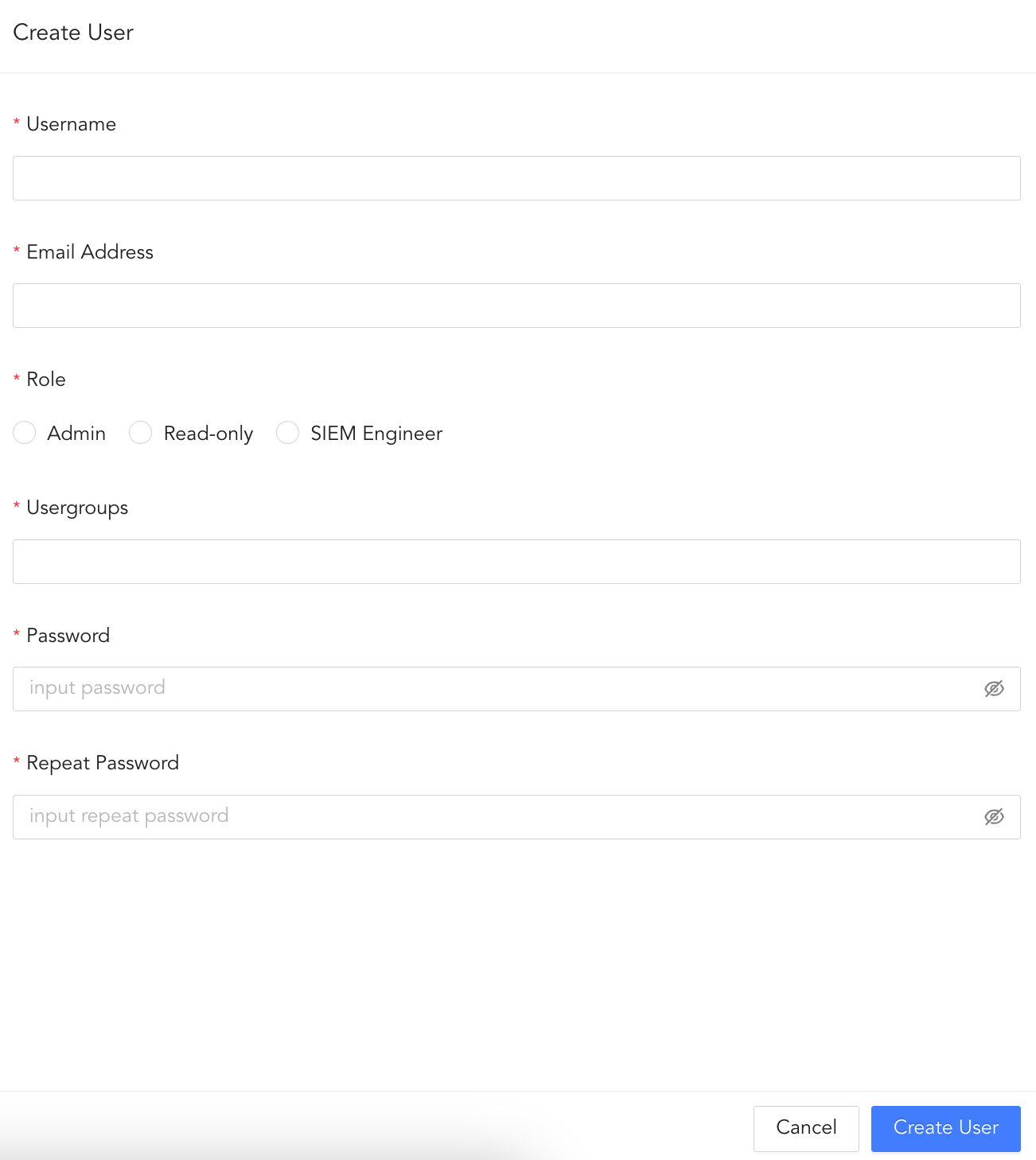
Create User
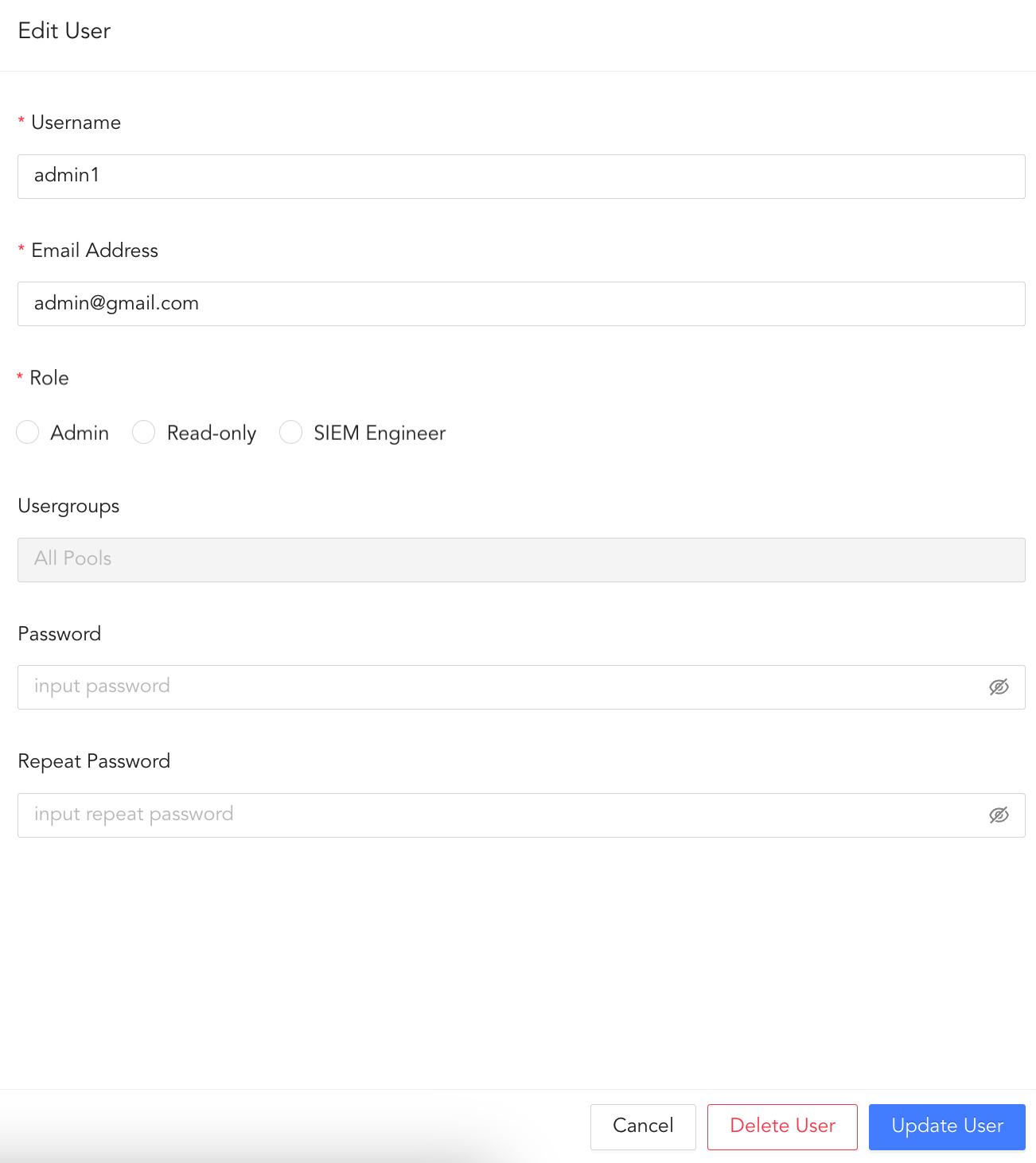
 ) icon besides the user and clicking Delete.